
AI has made building things cheaper than it has ever been. This means that we can be more effective by “upgrading” our workflow and tools. Using AI to leverage our taste.
But we have to be smart about it.
While AI can help us create lots of variations of an idea, it’s hard to get exactly what we want from it.
You ask it to create a thing you have in mind, when it doesn’t work, you ask it to create a few variants of the thing in the hope that increasing the number of things built will increase the chance of getting something good. You stay stuck in this loop forever.
Not only does this approach waste a lot of time, but it also costs a lot of tokens. We can do better. The way I like to do it is to build myself a tool that helps me build the thing I want.
Using AI as a means to an end, rather than the end itself.
For a recent Linear release we were working on a data report. Paul designed this beautiful cover with ripped punch cards.
This was made in Figma, and since we wanted to make it interactive and allow users to punch holes in the card, we had to recreate this in code.
I asked an agent to build it, but I already knew it wouldn’t be able to do it perfectly. So instead of trying to match the design exactly, I built a tool that generates the ripped paper pattern and we picked one we liked after some trials.
When you press save, the tool writes the current configuration to a JSON file which is used to generate the ripped paper pattern.
See what I did here? I built myself a tool that helps me build the thing I want. In minutes.
The dithered logo we made at Linear also utilized this workflow.
The initial idea for the dithered logo was made using Dithering Studio. The issue here is that this site doesn’t allow me to export the image in a format that could be used in code. There’s an SVG version, but with the amount of detail we wanted to get, that would be a no-go because of the performance.
Initially, I just tried prompting the agent to build the logo. I uploaded a screenshot of the Figma design and asked it to recreate it in code using canvas.
Build me a dithered logo using canvas, here’s how it should look: [Image #1]
After a few failed attempts I realized that this wouldn’t work. It felt like a casino. You put in a few dollars, you get a few spins, and you hope for the best.
I knew what I wanted it to look like, since I had the dithered logo in front of me. I also knew how it was made, because Dithering Studio exposes the algorithm and the main settings in its side panel.
So I built a tool that generates the logo using the same algorithm and settings, but instead of exporting it as an image, it exports it as a set of coordinates that can be used to draw the logo on a canvas.
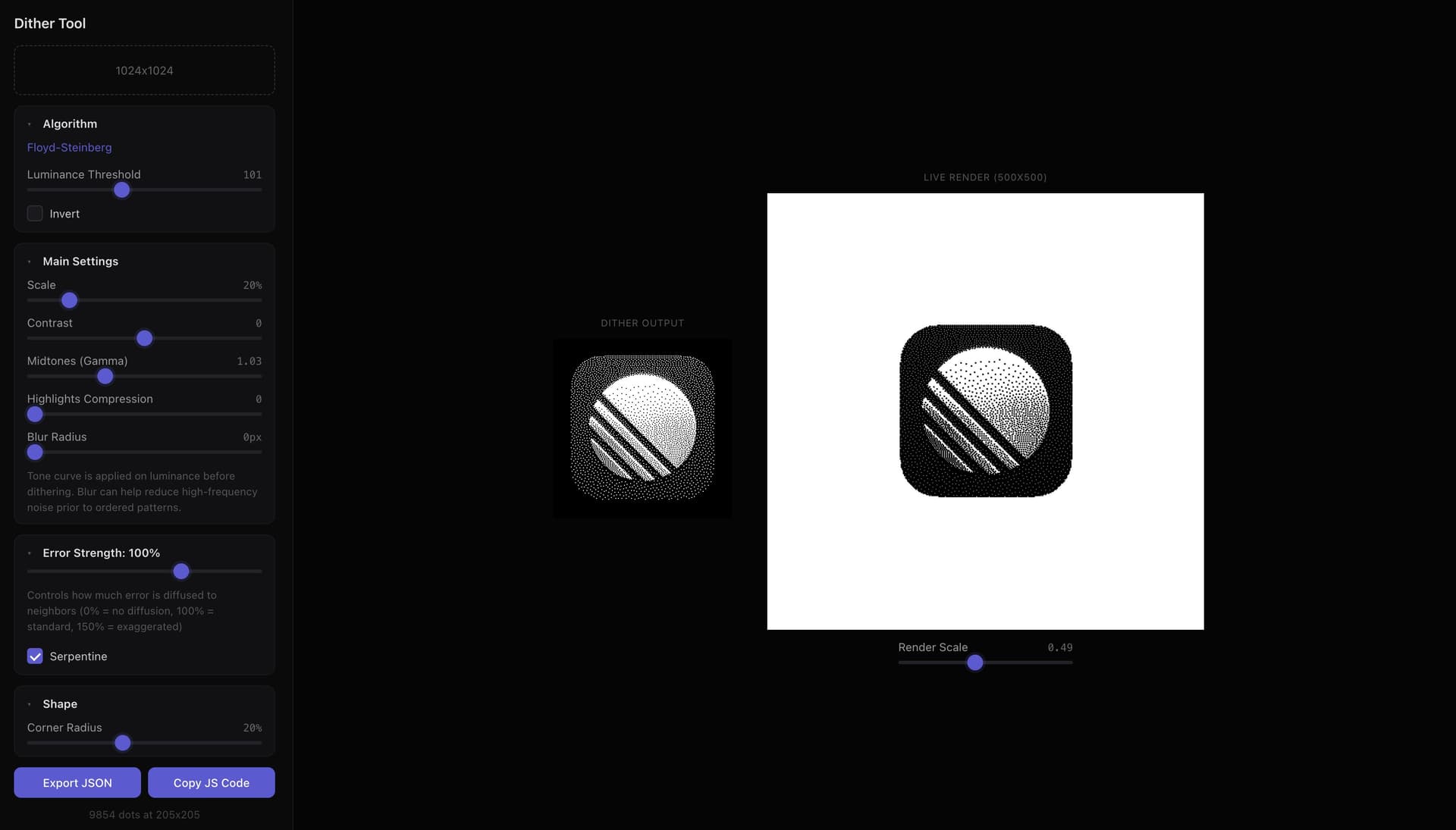
This allowed me to get precisely what I wanted, and it took just a few minutes to build.
Once you shift your mindset to building tools for your tools you’ll see how much easier your work becomes. Hector from Superlogical built a tool that helps him work on new icons for their terminal. He can add animations, test them both in light and dark mode, see how the icons would look when they’re stacked. I’m sure it improves his workflow by a lot.

Making the tool itself is relatively easy, your agent can build one in minutes. The hard part here is noticing the moment you need one, and knowing which tool to ask for.
I packaged the knowledge of this lesson, and more, into a /emil-build-a-tool skill. With it you don’t describe the tool itself, but rather the thing you’re stuck on, or a workflow you want to automate.
The skill analyzes the situation, what you’re actually trying to ship, and suggests the tool that helps you.
npx @aiforui/install emil-build-a-tool --token=…With it, you can make a tool for a dithered logo ;)
/emil-build-a-tool A dithered version of our logo, like this: [Image #1]. It has to render on a canvas at full detail and needs to be as close as possible to the original.
The mental model is what matters here. When the agent can’t reach the thing you want, don’t ask for the thing again in different words. Ask which tool would get you there, and then get there yourself.